Calculating arrival date




5 Printers for Chromebook Owners (Toner Buzz Top Picks)
09/26/2025

Chromebook owners often wonder which printers work best with their devices.
We decided to look into user feedback and share the most recommended models with our readers. Many people find that Brother and HP printers work especially well with Chromebooks.
Here are five printers that stood out in our research.
5 Printers for Chromebook Owners (Comparison Table)
| Printer | Type | Functions | Price |
|---|---|---|---|
| Brother HL-L2405W | Mono Laser | Print Only | $135 |
| Brother MFC-J1010DW | Inkjet | Print, Copy, Scan, Fax | $80 |
| HP ENVY Inspire 7955e | Inkjet | Print, Copy, Scan | $230 |
| HP LaserJet M110w | Mono Laser | Print Only | $170 |
| Canon Color imageCLASS MF753Cdw | Color Laser | Print, Copy, Scan, Fax | $535 |
1. Brother HL-L2405W (Monochrome Laser Printer)
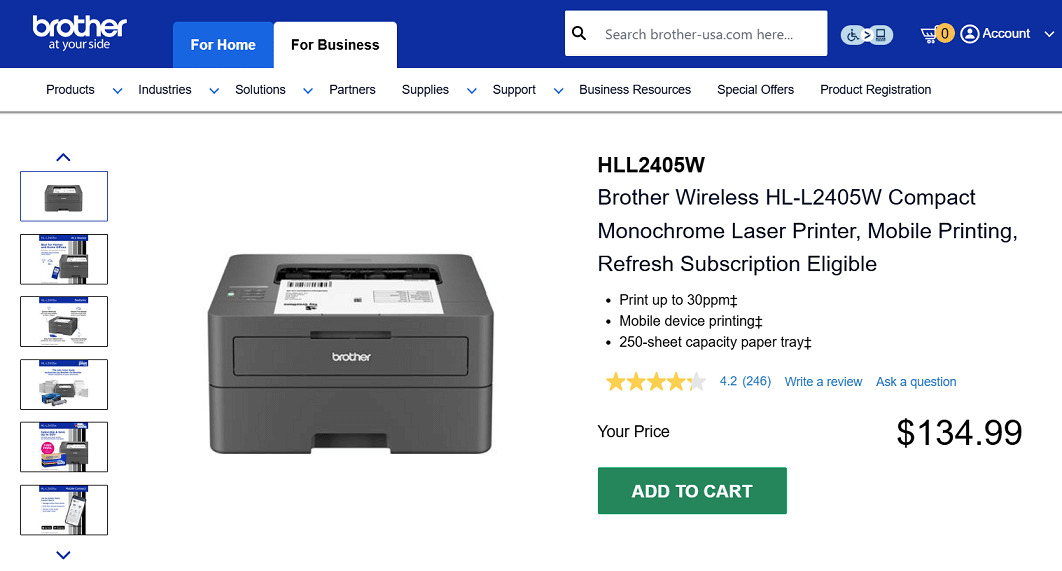
Screenshot from the Brother website
The Brother HL-L2405W is a compact monochrome laser printer made for straightforward document printing at home or in a small office. It prints up to 30 pages per minute and includes a 250-sheet paper tray to cut down on refills.
With dual-band wireless and USB connectivity, it works smoothly with Chromebooks and other devices for everyday black-and-white printing.
Key Features
- Print-only monochrome laser printer
- Print speed up to 30 pages per minute
- 250-sheet paper tray + manual feed slot
- Dual-band wireless and USB 2.0 connectivity
- Compatible with Chromebook printing and mobile printing apps
- Security features to protect connections and data
Pros:
✔️ Affordable price point for a laser printer
✔️ Compact footprint suitable for home or office desks
✔️ Fast black-and-white printing up to 30 ppm
✔️ Wireless setup works with Chromebooks and mobile devices
Cons:
❌ Print-only, no copy or scan functions
❌ Monochrome only (no color output)
❌ Duplex (two-sided) printing is not built in
Toner Cartridges for Brother HL-L2405W
- Standard yield: TN830 Black
- High-yield: TN830XL
- Packs: TN830XL2PK
2. Brother MFC-J1010DW (Inkjet All-in-One)
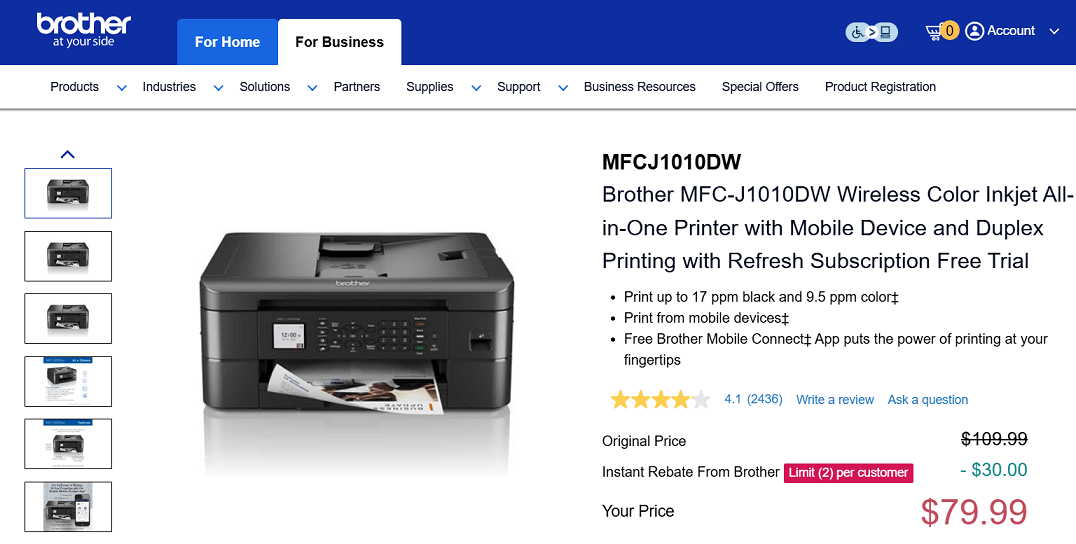
Screenshot from the Brother website
If you’re looking for an affordable printer that still handles all the basics, the Brother MFC-J1010DW is worth a look. It’s a compact inkjet that can print, scan, copy, and fax, while working wirelessly with Chromebooks.
Easy to set up and simple to use, it’s a good option for home or small business users who want reliable printing without a big price tag.
Key Features
- Color inkjet all-in-one: print, copy, scan, fax
- Print speeds up to 17 ppm (black) and 9.5 ppm (color)
- Automatic two-sided printing
- 150-sheet adjustable paper tray + 20-sheet ADF
- Wireless, Wi-Fi Direct, and USB connectivity
- Cloud print/scan options (Google Drive, Dropbox, OneDrive, Box)
- 1.8″ color display for navigation
- Brother Page Gauge to track ink levels
Pros:
✔️ Affordable all-in-one with full functionality
✔️ Duplex printing included
✔️ Works smoothly with Chromebooks and mobile devices
✔️ Compact footprint for home or small office setups
✔️ Cloud printing and scanning support
Cons:
❌ Print speeds are moderate compared to larger models
❌ A smaller paper tray may need more frequent refills
Ink Cartridges for Brother MFC-J1010DW
- Standard yield: LC401BKS Black, LC401CS Cyan, LC401MS Magenta, LC401YS Yellow
- High-yield: LC401XLBKS Black, LC401XLC Cyan, LC401XLMS Magenta, LC401XLYS Yellow
- Packs: LC-401XL2PKS(2-Pack Black), LC4013PKS (Standard Yield Cyan, Magenta, Yellow), LC401XL3PKS (High-Yield Cyan, Magenta, Yellow).
3. HP ENVY Inspire 7955e (Inkjet All-in-One)
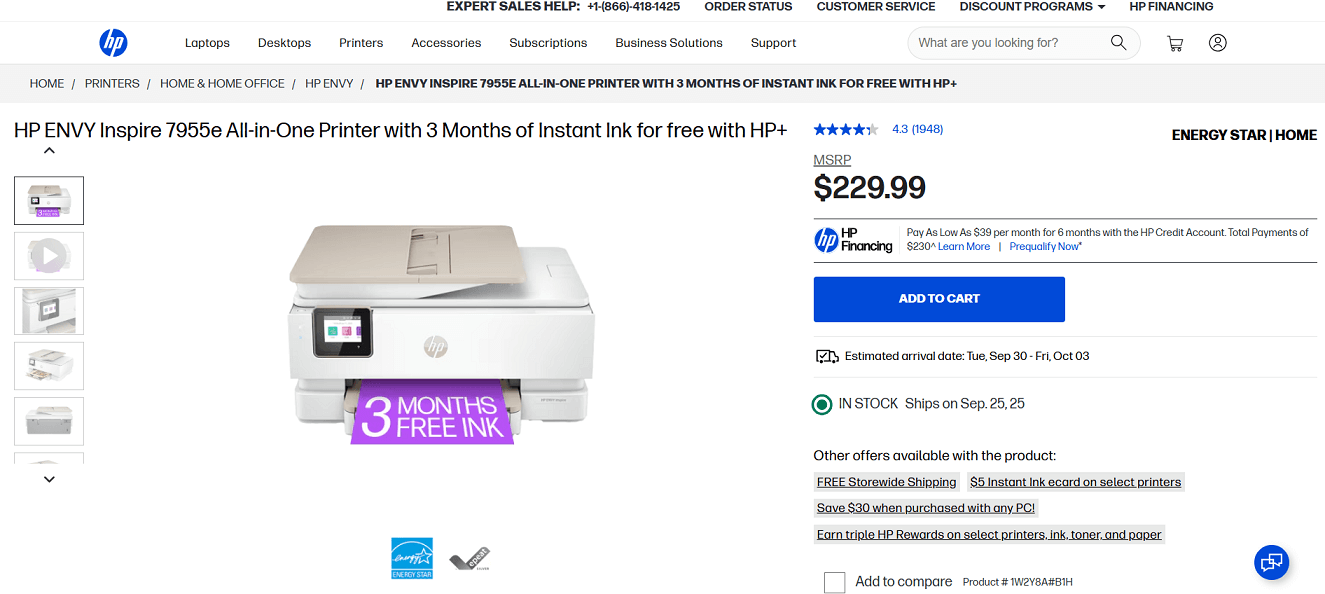
Screenshot from the HP website
The HP ENVY Inspire 7955e is a versatile all-in-one inkjet printer that works well with Chromebooks for both documents and photos.
It offers wireless printing, a built-in photo tray, and duplex printing, making it practical for home or small business use. With HP+, you also get 3 free months of Instant Ink, which can help keep printing costs more predictable.
Key Features
- Print, copy, and scan functions
- Duplex (two-sided) printing and an auto document feeder
- Wireless and mobile printing with HP Smart app support
- Built-in photo tray for different print sizes
- Includes 3 months of Instant Ink with HP+
- ENERGY STAR® qualified and made with 45% recycled plastic
Pros:
✔️ Good balance of photo and document printing
✔️ Duplex and ADF included
✔️ Works smoothly with Chromebooks and mobile devices
✔️ Instant Ink subscription option for regular printing
Cons:
❌ Ink costs can add up without a subscription
❌ Setup requires an HP account and an internet connection
Ink Cartridges for HP ENVY Inspire 7955e
- Standard yield: HP 64 Black, HP 64 Tri-Color
- High yield: HP 64XL Black, HP 64XL Tri-Color
4. HP LaserJet M110w (Monochrome Laser Printer)
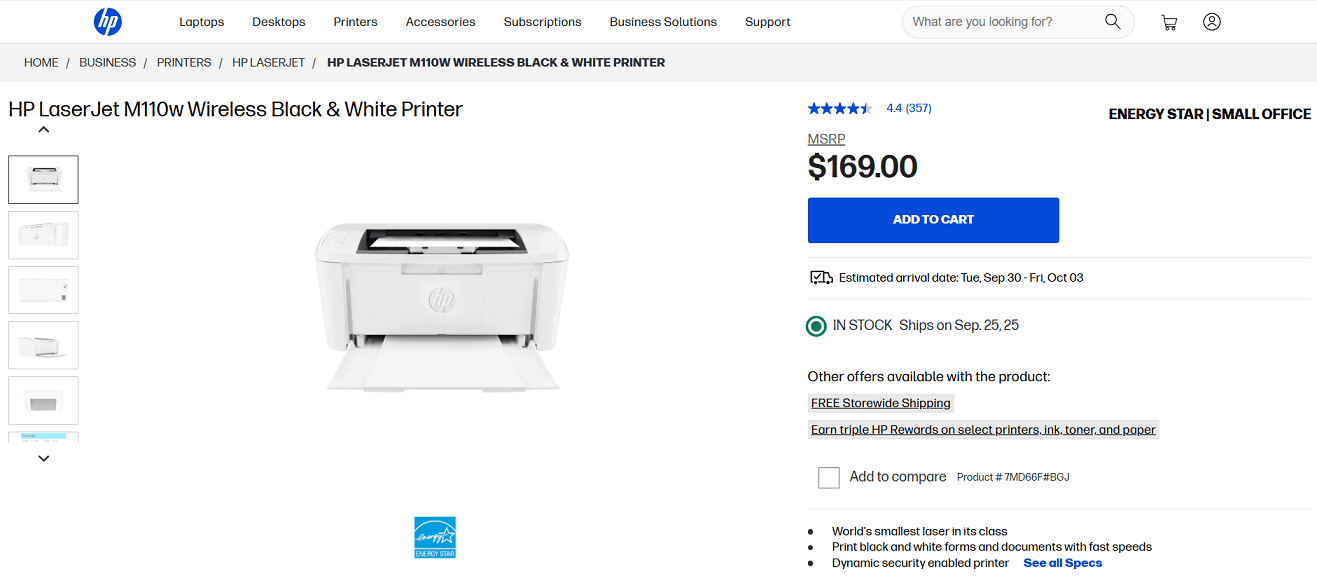
Screenshot from the HP website
Another option for Chromebook users is the HP LaserJet M110w, a compact black-and-white printer built for straightforward document printing.
Its small size makes it easy to fit into tight spaces at home or in a small office, and the wireless setup works well with Chromebooks. While it doesn’t handle scanning or copying, it’s a reliable pick if all you need is fast and simple black-and-white prints.
Key Features
- Print only (monochrome laser)
- Print speed up to 21 ppm
- 150-sheet input tray
- Built-in wireless and USB connectivity
- ENERGY STAR® certified
Pros:
✔️ Very small footprint, fits in limited spaces
✔️ Fast enough for light office or home use
✔️ Simple wireless setup with Chromebooks
✔️ Affordable entry price for a laser printer
Cons:
❌ Black-and-white only, no color printing
❌ Print-only, no scan or copy features
❌ Small paper capacity
Toner Cartridges for HP LaserJet M110w
- Standard yield: HP 141A Black
- High-yield: HP 141X Black
5. Canon Color imageCLASS MF753Cdw (Laser All-in-One)
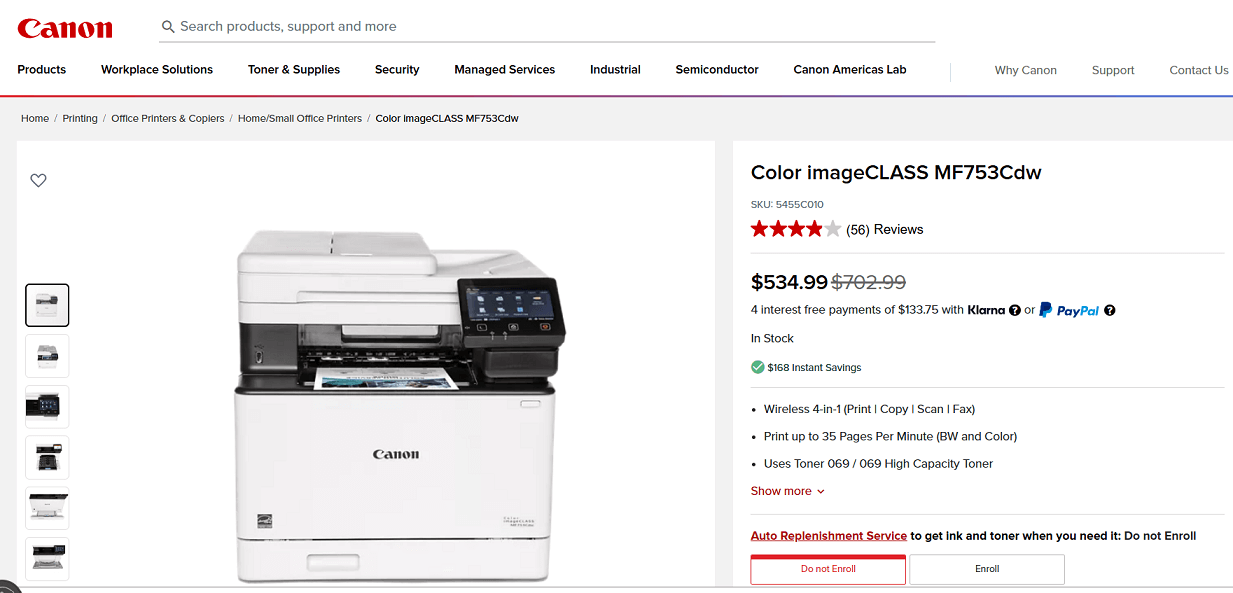
Screenshot from the Canon website
The Canon Color imageCLASS MF753Cdw is a color laser printer that combines print, copy, scan, and fax functions. With speeds up to 35 pages per minute and support for both Mac and Chromebook wireless printing, it’s built for offices or home users who need fast and consistent document handling.
The large touchscreen and flexible paper trays make everyday use straightforward, while high-capacity toner options help cut down on interruptions.
Key Features
- Print, copy, scan, and fax functions
- Color laser printing up to 35 ppm
- 250-sheet paper tray + 50-sheet multipurpose tray (expandable to 850 sheets)
- 50-sheet two-sided automatic document feeder
- 5″ color touchscreen display
- Wireless, USB, Ethernet, AirPrint, Mopria, and Chromebook support
Pros:
✔️ Fast printing speed for larger workloads
✔️ Duplex document feeder for efficient scanning
✔️ Large touchscreen for easier controls
✔️ Works with Mac and Chromebook devices
✔️ High-capacity toner options available
Cons:
❌ Bulkier than smaller home printers
❌ Higher upfront price
Toner Cartridges for Canon MF753Cdw
- Standard yield: Canon 069 Black, Canon 069 Cyan, Canon 069 Magenta, Canon 069 Yellow.
- High capacity: Canon 069H Black, Canon 069H Cyan, Canon 069H Magenta, Canon 069H Yellow.
- Sets: Canon 069 Set (Black, Cyan, Magenta, Yellow), Canon 069H Toner Set (Black, Cyan, Magenta, Yellow).
Summary
In this guide, we looked at five printers that work reliably with Chromebooks, covering both inkjet and laser options. Each model has its strengths, from affordability and compact size to faster speeds and larger capacities for business use.
Wireless setup and ChromeOS compatibility were key factors in our selection. No matter your budget or printing needs, these printers offer dependable choices for Chromebook users.