 Calculating arrival date


Toner Buzz Picks: 8 Best Home Office Printers
08/27/2025

We conducted in-depth research, focusing on user reviews and real-world experiences, to create a list of eight of the best home office printers.
User preferences vary—some prioritize fast printing, others look for lower running costs, and many value compact designs that fit into smaller spaces. While needs differ, our research showed that Brother is the most preferred brand among home office users for its balance of performance and reliability.
The list includes both inkjet and laser models, with pros and cons highlighted to help you find the right fit for your needs.
Top 8 Printers for Home Office Use (Comparison Table)
| Printer | Type | Functions | Price |
|---|---|---|---|
| Brother MFC-J1010DW | Inkjet | Print, Copy, Scan, Fax | $90 |
| Brother HL-L3220CDW | Color Laser | Print Only | $285 |
| Brother HL-L2460DW | Mono Laser | Print Only | $180 |
| Brother HL-L2420DW | Mono Laser | Print Only | $125 |
| Brother HL-L3280CDW | Color Laser | Print Only | $345 |
| Epson EcoTank ET-2800 | Inkjet Supertank | Print, Copy, Scan | $190 |
| Epson EcoTank ET-2850 | Inkjet Supertank | Print, Copy, Scan | $220 |
| HP LaserJet Pro MFP 4101fdw | Mono Laser | Print, Copy, Scan, Fax | $559 |
1. Brother MFC-J1010DW
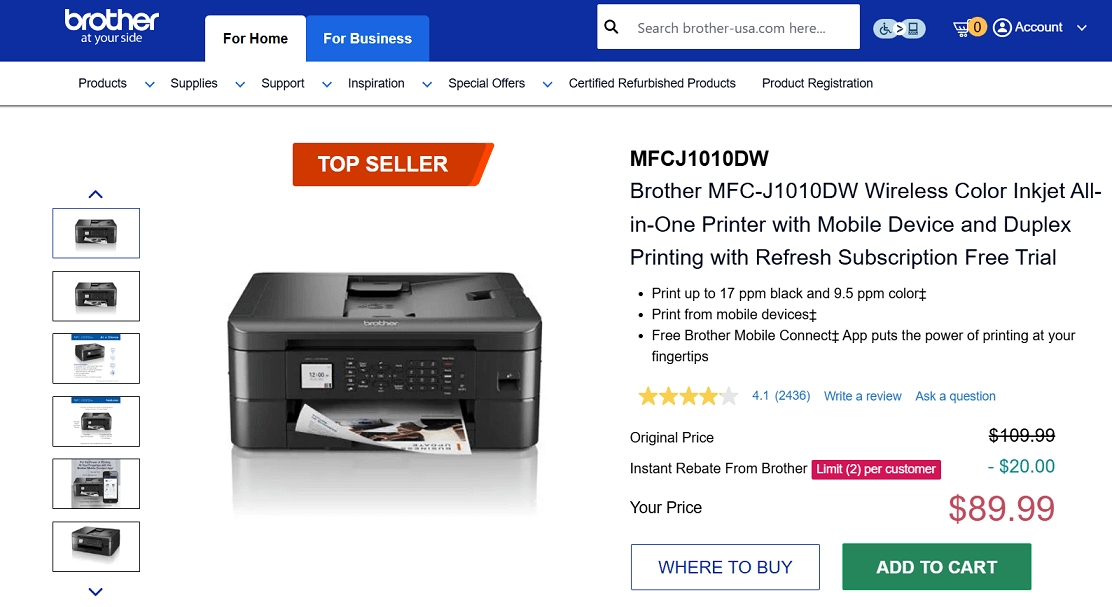
Screenshot from the Brother website
If you’re looking for a budget-friendly printer for your home or small office, the Brother MFC-J1010DW could be a great fit. It’s a compact all-in-one inkjet that handles printing, copying, scanning, and faxing without taking up much space.
With wireless and mobile printing, a 1.8" color display, and automatic two-sided printing, it covers the basics most people need day to day.
Key Features
- Print speed: Up to 17 ppm (black), 9.5 ppm (color)
- All-in-one: Print, copy, scan, fax
- Wireless, Wi-Fi Direct®, and USB connectivity
- Mobile printing via Brother Mobile Connect app
- 150-sheet paper tray + 20-page ADF
- 1.8" color display
- Duplex (2-sided) printing
- Supports cloud printing and scanning
- Compact design for small spaces
Pros:
✔️ Budget-friendly price
✔️ Full functionality in a compact size
✔️ Fast printing speed
✔️ Duplex and ADF included
✔️ Works with Alexa
Cons:
❌ Slower color print speed
❌ No duplex scanning
❌ Some users had trouble setting up Wi-Fi
❌ Ink cartridges may need frequent replacement for high-volume users
Ink Cartridges for Brother MFC-J1010DW
- Standard yield: LC401BKS Black, LC401YS Yellow, LC401CS Cyan, LC401MS Magenta
- High-yield: LC401XLBKS Black, LC401XLYS Yellow, LC401XLCS Cyan, LC401XLMS Magenta
- Packs: LC401XL2PKS 2-Pack, LC4013PKS 3-Pack, LC401XL3PKS 3-Pack
2. Brother HL-L3220CDW
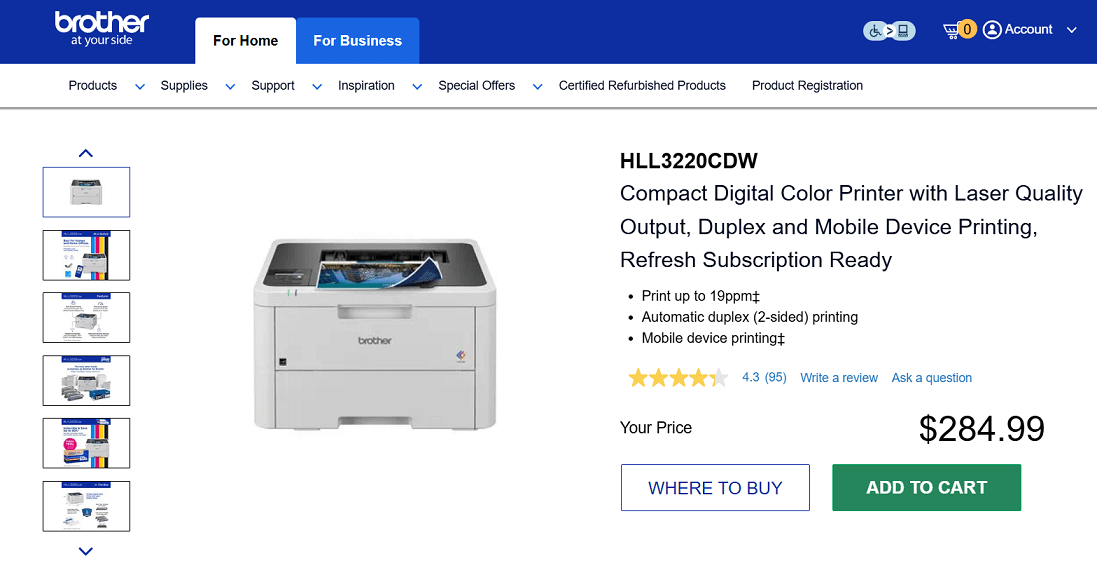
Screenshot from the Brother website
The Brother HL-L3220CDW is a compact digital color laser printer designed for home offices that need high-quality prints without extra bulk. It offers fast print speeds of up to 19 pages per minute and supports automatic duplex (double-sided) printing.
The printer delivers crisp black-and-white and vivid color output, while advanced security features help keep your documents safe. It’s also compatible with Brother’s Refresh EZ Print Subscription for automatic toner delivery and cost savings.
Key Features
- Print speed: Up to 19 ppm (black & color)
- Wireless, Wi-Fi Direct®, and USB connectivity
- Automatic duplex printing
- 250-sheet paper tray + manual feed slot
- Mobile printing support via the Brother app
- ENERGY STAR® and EPEAT® Silver certified
Pros:
✔️ Affordable for a color laser printer
✔️ Sharp print quality for everyday use
✔️ Easy wireless setup and mobile printing
✔️ Supports automatic 2-sided printing
Cons:
❌ No scan or copy functions (print-only)
❌ Color toner can be expensive
❌ Some issues with firmware updates and the toner reset process
❌ No Ethernet port (Wi-Fi and USB only)
Toner Cartridges for Brother HL-L3220CDW
- Standard yield: TN229BK Black, TN229C Cyan, TN229M Magenta, TN229Y Yellow
- High-yield: TN229XLBK Black, TN229XLC Cyan, TN229XLM Magenta, TN229XLY Yellow
- Sets: TN229 Set and TN229XL Set
3. Brother HL-L2460DW
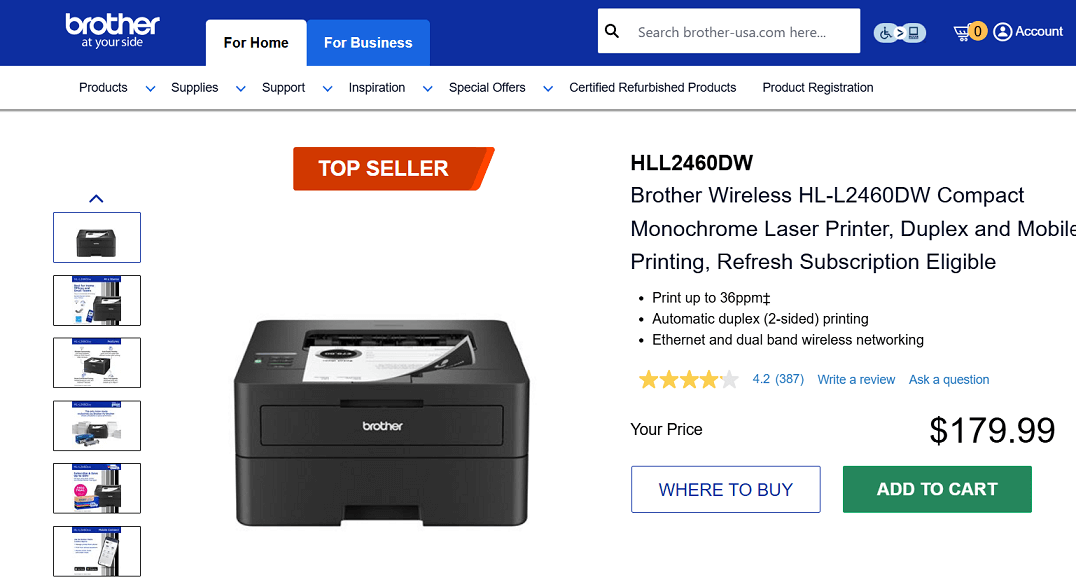
Screenshot from the Brother website
If you’re looking for a fast and dependable printer for black-and-white documents, the Brother HL-L2460DW is worth considering. This compact monochrome laser model prints up to 36 pages per minute and includes automatic two-sided printing to save paper.
With Wi-Fi, Ethernet, USB, and mobile printing options, it’s a practical fit for both home and small office setups.
Key Features
- Print speed: Up to 36 ppm
- Monochrome laser printing (black & white only)
- Automatic duplex (2-sided) printing
- 250-sheet paper tray + manual feed slot
- Wireless, dual-band Wi-Fi, Ethernet, and USB connections
- Mobile printing with the Brother Mobile Connect app
- ENERGY STAR® and EPEAT® Silver certified
Pros:
✔️ Very fast printing speed
✔️ Sharp and consistent black-and-white quality
✔️ Duplex printing saves time and paper
✔️ Multiple connectivity options (Wi-Fi, Ethernet, USB)
✔️ Supports mobile and remote printing
Cons:
❌ Print only, no scan/copy/fax
❌ Small screen makes setup harder
❌ Paper tray may misfeed when low
❌ Black-and-white only
Toner Cartridges for Brother HL-L2460DW
- Standard yield: TN830 Black
- High-yield: TN830XL
- Packs: TN830XL2PK
4. Brother HL-L2420DW
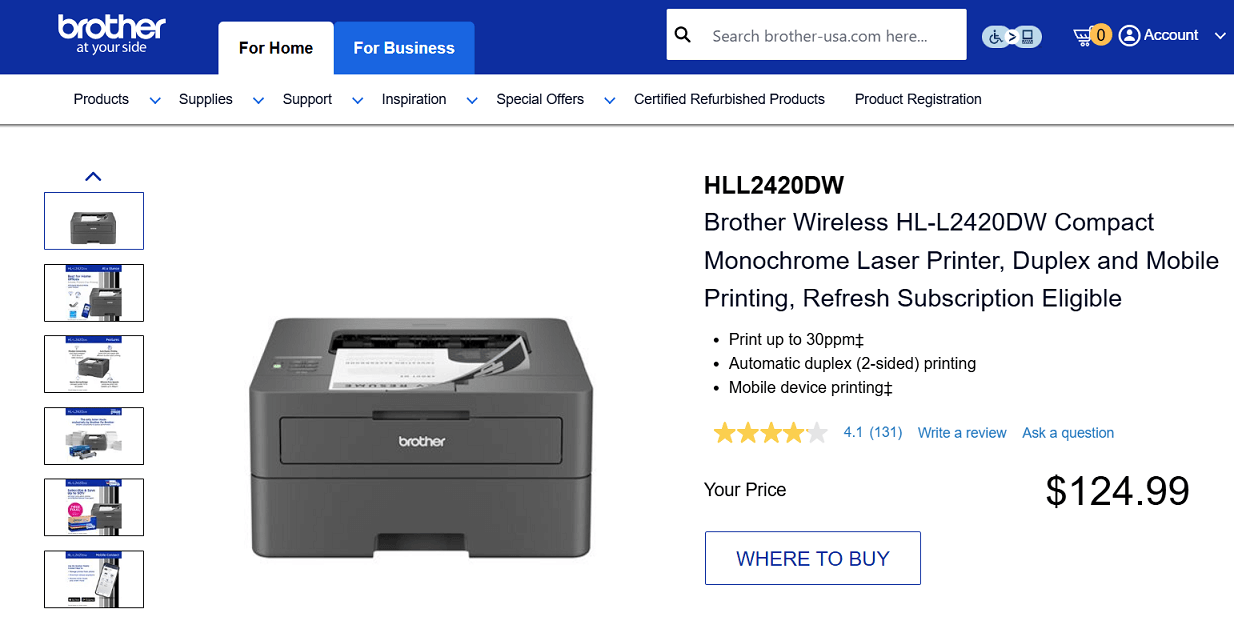
Screenshot from the Brother website
The Brother HL-L2420DW is a compact monochrome laser printer designed for fast, straightforward printing.
It produces clear black-and-white pages at up to 30 per minute and includes automatic duplex printing to save paper. A simple, reliable option for anyone who needs efficient everyday printing
Key Features
- Print speed: Up to 30 ppm
- Automatic duplex printing
- 250-sheet paper tray + manual feed slot
- Wireless and USB connectivity
- Mobile printing with Brother Mobile Connect
Pros:
✔️ Affordable monochrome laser, good for budget users
✔️ Fast and reliable with crisp text output
✔️ Wireless and mobile printing via Wi-Fi/Wi-Fi Direct
✔️ Automatic duplex printing saves paper
✔️ Easy setup and dependable performance
Cons:
❌ Does not include scan, copy, or fax functions
❌ Occasional paper jams and Wi-Fi issues
❌ No USB cable included
❌ Outdated, less user-friendly design
❌ Black-and-white only
Toner Cartridges for Brother HL-L2420DW
- Standard yield: TN830 Black
- High-yield: TN830XL
- Packs: TN830XL2PK
5. Brother HL-L3280CDW
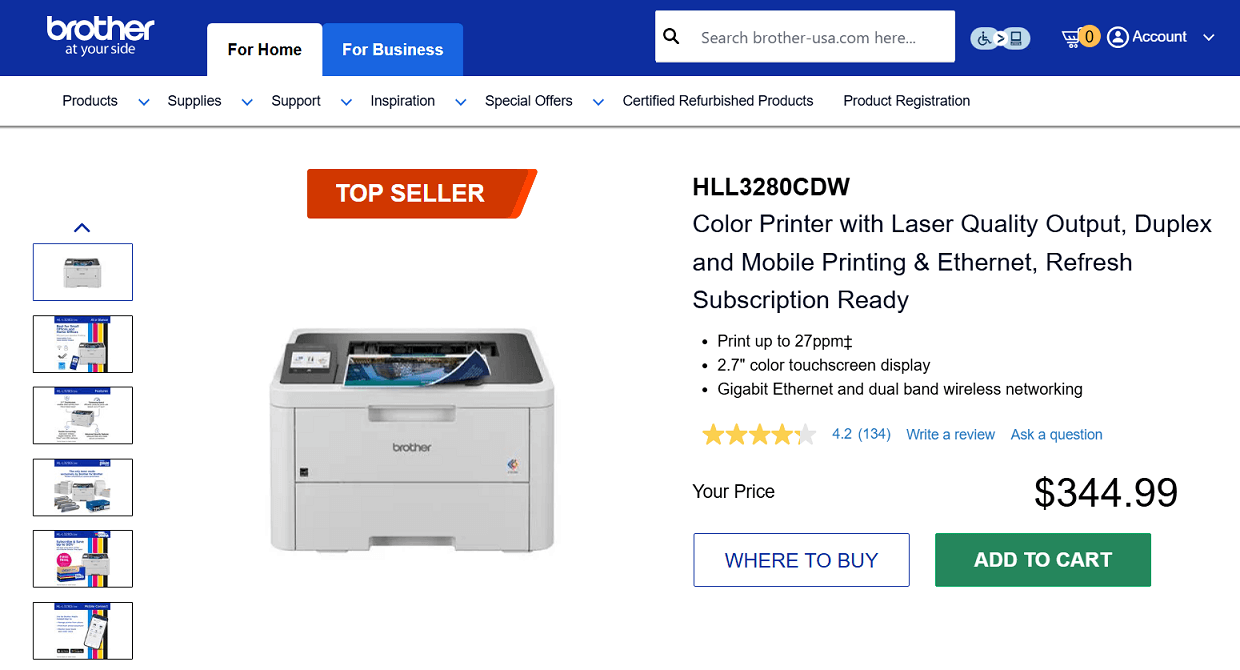
Screenshot from the Brother website
Another solid choice for those who need a reliable color laser printer is the Brother HL-L3280CDW. It prints up to 27 pages per minute, delivers sharp, professional-looking documents, and includes automatic two-sided printing.
A 2.7" color touchscreen makes navigation simple, and its sturdy build makes it well-suited for frequent printing.
Key Features
- Print speed: Up to 27 ppm (black & color)
- Color laser-quality output
- 2.7" color touchscreen display
- Automatic duplex printing
- 250-sheet paper tray + manual feed slot
- Wi-Fi, Ethernet, Wi-Fi Direct®, and USB connections
- Mobile and cloud printing with Brother Mobile Connect
- ENERGY STAR® and EPEAT® Silver certified
Pros:
✔️ Fast color and black-and-white printing
✔️ High-quality, smudge-free output
✔️ Touchscreen with cloud access
✔️ Duplex printing included
✔️ Flexible connection options
Cons:
❌ Higher price (around $300+)
❌ Single 250-sheet tray, no extra paper input
❌ Print-only, no scan/copy/fax
❌ Setup and Wi-Fi can be tricky
❌ Standard toner yield (about 1,000 pages) means moderate running costs.
Toner Cartridges for Brother HL-L3280CDW
- Standard yield: TN229BK Black, TN229C Cyan, TN229M Magenta, TN229Y Yellow
- High-yield: TN229XLBK Black, TN229XLC Cyan, TN229XLM Magenta, TN229XLY Yellow
- Sets: TN229 Set and TN229XL Set
6. Epson EcoTank ET-2800
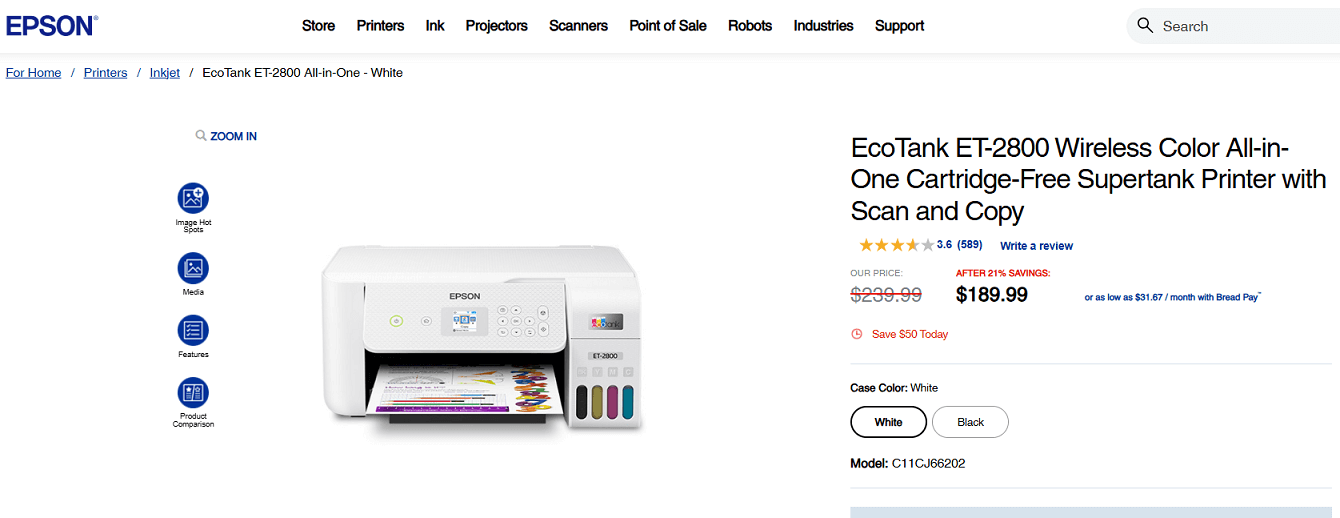
Screenshot from the Epson website
The Epson EcoTank ET-2800 is an affordable all-in-one printer designed to cut ink costs with its cartridge-free supertank system. It comes with refillable ink bottles that last much longer than standard cartridges, providing up to 4,500 black and 7,500 color pages before needing a refill.
Along with low running costs, it offers wireless connectivity, a flatbed scanner, and copying functions, making it a practical choice for everyday use.
Key Features
- Cartridge-free printing with refillable EcoTank ink bottles
- Up to 4,500 pages black and 7,500 pages color per refill
- Includes up to 2 years of ink in the box
- Built-in flatbed scanner and copier
- Wireless printing with AirPrint® and Epson Smart Panel app
- Color display for easy navigation
- ENERGY STAR® qualified, RoHS compliant
Pros:
✔️ Very low running costs with EcoTank system (up to 20,000 pages)
✔️ Good print quality for everyday use and casual photos
✔️ Ink included lasts up to 2 years
✔️ Wireless printing with app support
✔️ Includes scan and copy with a flatbed scanner
✔️ Eco-friendly, less plastic waste
Cons:
❌ Slow print speed
❌ No automatic duplex printing
❌ Small input tray limits big jobs
❌ Refills can be messy if not careful
❌ Basic controls with no touchscreen
❌ Photos lack sharpness compared to dedicated photo printers.
Ink Cartridges for Epson EcoTank ET-2800
- Ultra high-yield: T522120S Black, T522220S Cyan, T522420S Yellow, T522320S Magenta
- Combo pack: T522520S (Cyan, Magenta, Yellow)
7. Epson EcoTank ET-2850
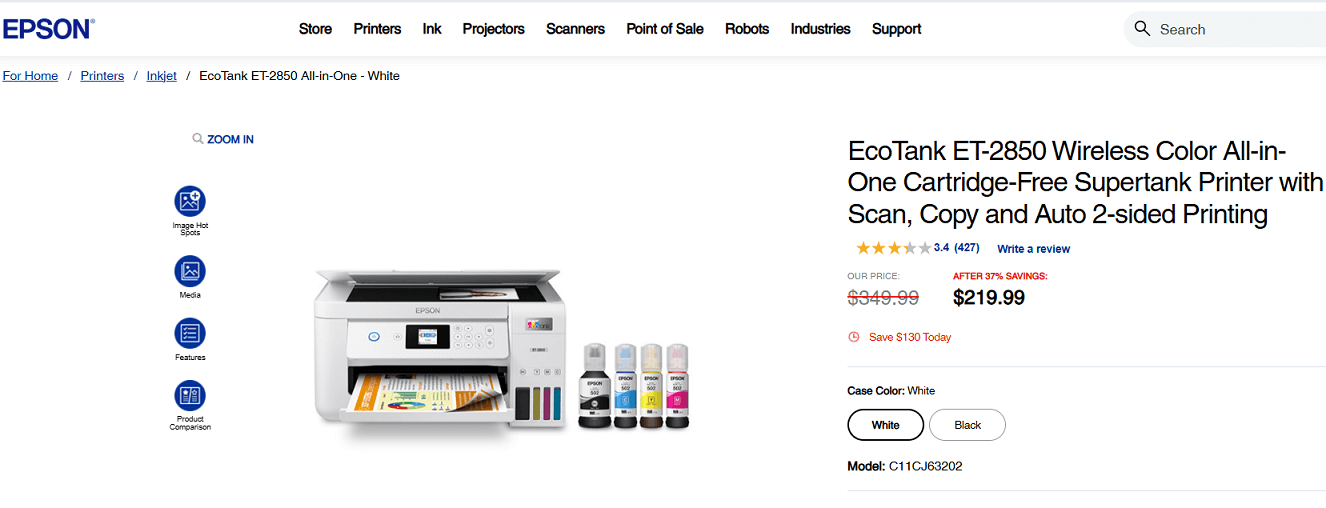
Screenshot from the Epson website
The Epson EcoTank ET-2850 is an all-in-one printer that helps reduce ink costs with its cartridge-free supertank design. It comes with refillable bottles that can print up to 7,500 black and 6,000 color pages, making it a cost-efficient choice for families and regular users.
Along with scanning and copying, it includes auto two-sided printing, a color display, and wireless connectivity for easy everyday use.
Key Features
- Cartridge-free printing with refillable EcoTank ink bottles
- Up to 7,500 pages black and 6,000 color per refill
- Includes up to 2 years of ink in the box
- Built-in scanner and copier
- Automatic duplex (2-sided) printing
- Wireless, mobile, and voice-activated printing
- Color display for easy navigation
- ENERGY STAR® qualified and RoHS compliant
Pros:
✔️ Very low running costs with high-yield ink bottles
✔️ Includes 2 years of ink in the box
✔️ Duplex printing helps save paper
✔️ Good print quality for text and photos
✔️ Built-in scanner and copier with color display
Cons:
❌ Slower than laser printers
❌ No automatic document feeder
❌ Ink refills can be messy if not careful
❌ Higher upfront cost than regular inkjets
❌ Average text sharpness for heavy document use
Ink Cartridges for Epson EcoTank ET-2850
- Ultra high-yield: T502120S Black, T502220S Cyan, T502420S Yellow, T502320S Magenta
- Combo pack: T502520S (Cyan, Magenta, Yellow)
8. HP LaserJet Pro MFP 4101fdw
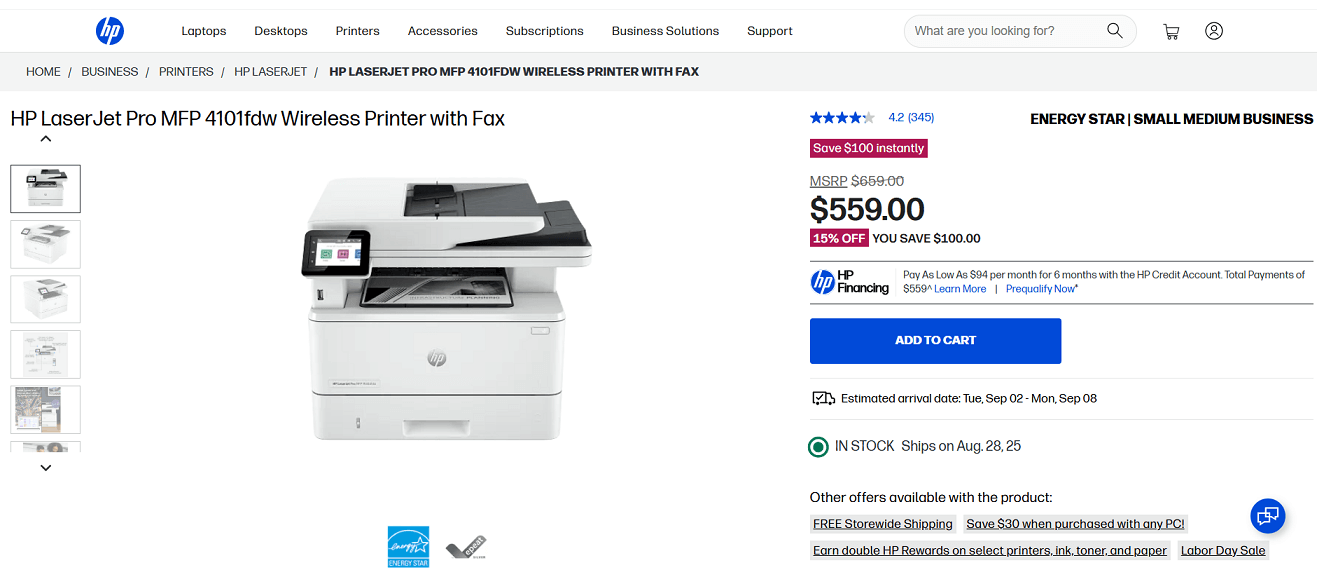
Screenshot from the HP website
If you need more than a typical home office printer, the HP LaserJet Pro MFP 4101fdw is worth considering. Designed for small business teams, it delivers fast black-and-white printing at up to 42 pages per minute, plus duplex printing and single-pass duplex scanning for handling larger jobs.
Some users also find it a great fit for a home office when high-volume printing, faxing, and advanced security features are required.
Key Features
- Print speed: Up to 42 ppm (black & white)
- Functions: Print, copy, scan, fax
- Automatic duplex printing and single-pass duplex scanning
- 50-sheet auto document feeder
- Wireless, Ethernet, USB, and mobile printing
- 2.7" color touchscreen display
- HP Wolf Pro Security features for safer printing
- ENERGY STAR® and EPEAT® Silver certified
Pros:
✔️ Very fast printing and scanning speeds
✔️ Duplex printing and duplex scanning included
✔️ Full all-in-one functionality with fax
✔️ Strong security features for sensitive documents
✔️ Suitable for heavy home office or small business use
Cons:
❌ Higher upfront cost than standard home printers
❌ Larger, bulkier design
❌ Black-and-white only (no color option)
❌ Requires HP-branded toner; third-party cartridges may not work
Toner Cartridges for HP LaserJet Pro MFP 4101fdw
- Standard yield: HP 148A Black
- High-yield: HP 148X Black
Summary
In the end, there isn’t a single “best” printer for every home office.
Some models are faster, some are more cost-efficient, and others save space. From all the options available, we selected eight printers that consistently earned positive feedback across different user needs.
This way, you can match a printer to what matters most for your daily work.
