Calculating arrival date




6 Small Business Printers Recommended by Toner Buzz
09/18/2025

Running a small business often means handling plenty of paperwork, from invoices to client documents. The right printer can save time, cut costs, and keep daily operations running without interruption.
Based on research and user reviews, Toner Buzz has selected six small business printers that stand out for their performance and practical features in everyday business settings.
6 Small Business Printers
(Comparison Table)
| Printer | Type | Functions | Price |
|---|---|---|---|
| Brother DCP-L2640DW | Mono Laser | Print, Copy, Scan | $210 |
| Brother HL-L2460DW | Mono Laser | Print Only | $180 |
| Brother MFC-J4335DW | Inkjet | Print, Copy, Scan, Fax | $190 |
| HP Color LaserJet Pro MFP 3301sdw | Color Laser | Print, Copy, Scan | $459 |
| HP OfficeJet 250 | Portable Inkjet | Print, Copy, Scan | $430 |
| Canon MAXIFY GX3020 | Ink Tank | Print, Copy, Scan | $380 |
1. Brother DCP-L2640DW (Mono Laser All-in-One)
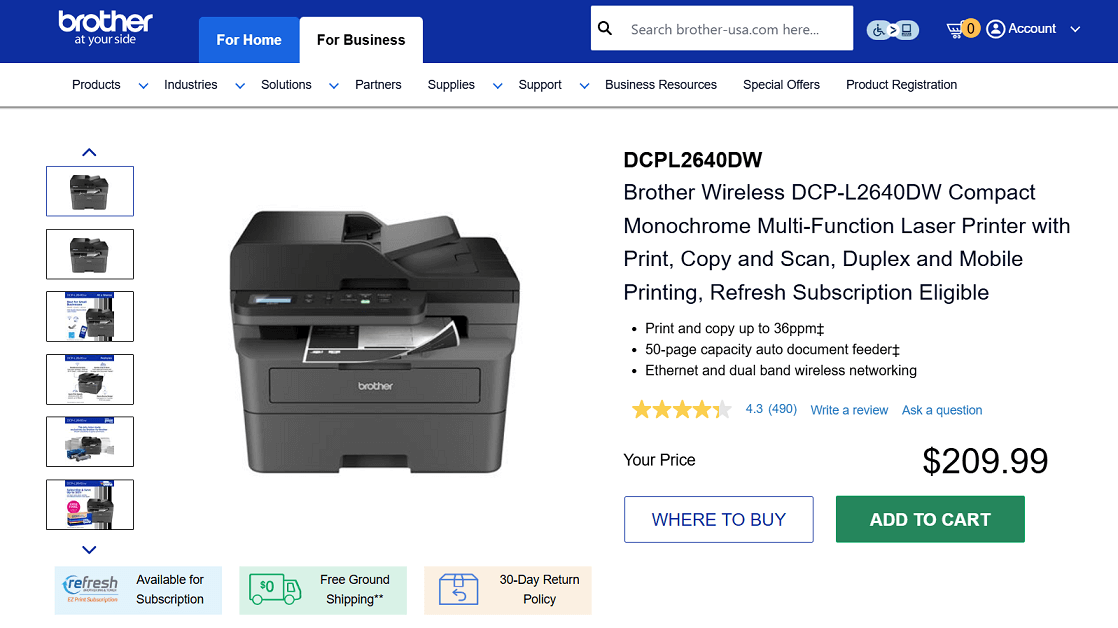
Screenshot from the Brother website
The Brother DCP-L2640DW is a compact monochrome laser all-in-one printer that handles printing, copying, and scanning.
Designed for small teams and businesses, it delivers fast print speeds up to 36 pages per minute and includes duplex printing. With a 50-page auto document feeder, wireless and Ethernet connectivity, and mobile printing support, it’s a solid choice for everyday document workflows.
Key Features
- Print, copy, and scan functions
- Print speed: Up to 36 ppm
- Duplex (2-sided) printing
- 250-sheet paper tray + manual feed slot
- 50-page auto document feeder
- Wi-Fi, Ethernet, USB, and mobile printing support
- Brother Mobile Connect app for remote use
Pros:
✔️ Fast print and scan speeds
✔️ Automatic duplex + ADF included
✔️ Flexible connectivity options
✔️ Compact design for small spaces
Cons:
❌ No fax function
❌ Monochrome only (no color printing)
❌ No duplex scanning (must flip pages manually)
❌ Some users report Wi-Fi connectivity issues
Toner Cartridges for Brother DCP-L2640DW
- Standard yield: TN830 Black
- High-yield: TN830XL
- Packs: TN830XL2PK
2. Brother HL-L2460DW (Monochrome Laser, Print Only)
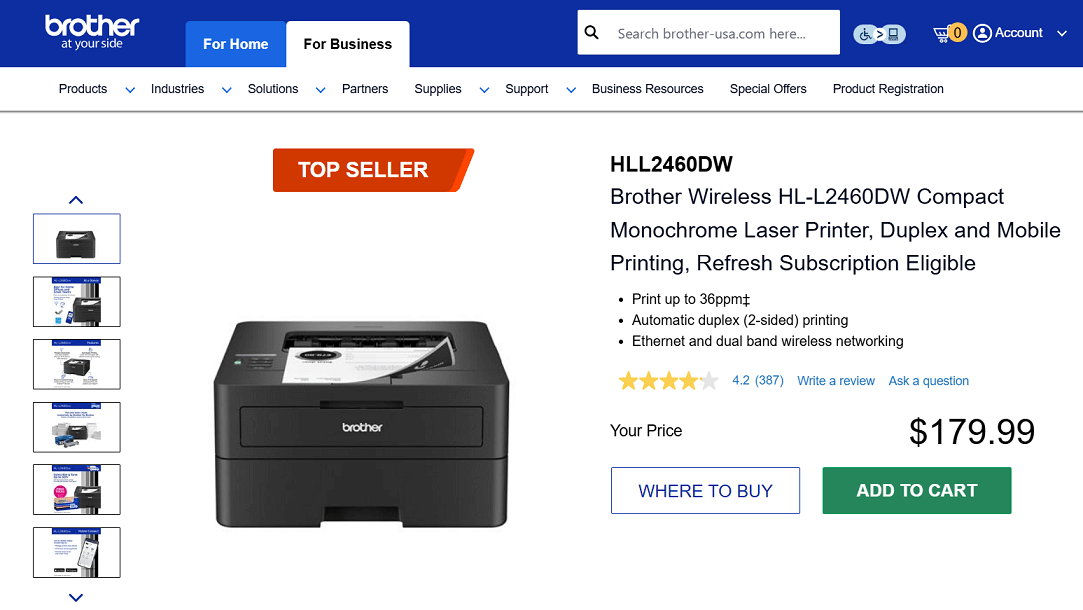
Screenshot from the Brother website
The Brother HL-L2460DW is built for small businesses that need straightforward, high-speed printing. It delivers crisp black-and-white documents at up to 36 pages per minute and supports automatic duplex printing to help reduce paper use.
While the Brother DCP-L2640DW includes copy and scan functions, the HL-L2460DW is a print-only model. This makes it a simpler and often more affordable option for businesses that don’t require scanning or copying but still want fast, reliable output with duplex capability.
With Wi-Fi, Ethernet, USB, and mobile printing support, it’s easy to share across a small team and fits well into everyday business workflows.
Key Features
- Print speed: Up to 36 ppm
- Monochrome laser printing (black & white only)
- Automatic duplex (2-sided) printing
- 250-sheet paper tray + manual feed slot
- Dual-band Wi-Fi, Ethernet, and USB connectivity
- Mobile printing via Brother Mobile Connect app
- ENERGY STAR® and EPEAT® Silver certified
Pros:
✔️ Fast printing speed for busy offices
✔️ Crisp and professional text quality
✔️ Duplex printing reduces paper use
✔️ Multiple connectivity options (Wi-Fi, Ethernet, USB)
✔️ Compact and practical for small business spaces
Cons:
❌ Printing only, lacks multifunction features
❌ Small display can make setup tricky
❌ Occasional paper feed issues
❌ Limited to black-and-white
Toner Cartridges for Brother HL-L2460DW
- Standard yield: TN830 Black
- High-yield: TN830XL
- Packs: TN830XL2PK
3. Brother MFC-J4335DW (Inkjet All-in-One)
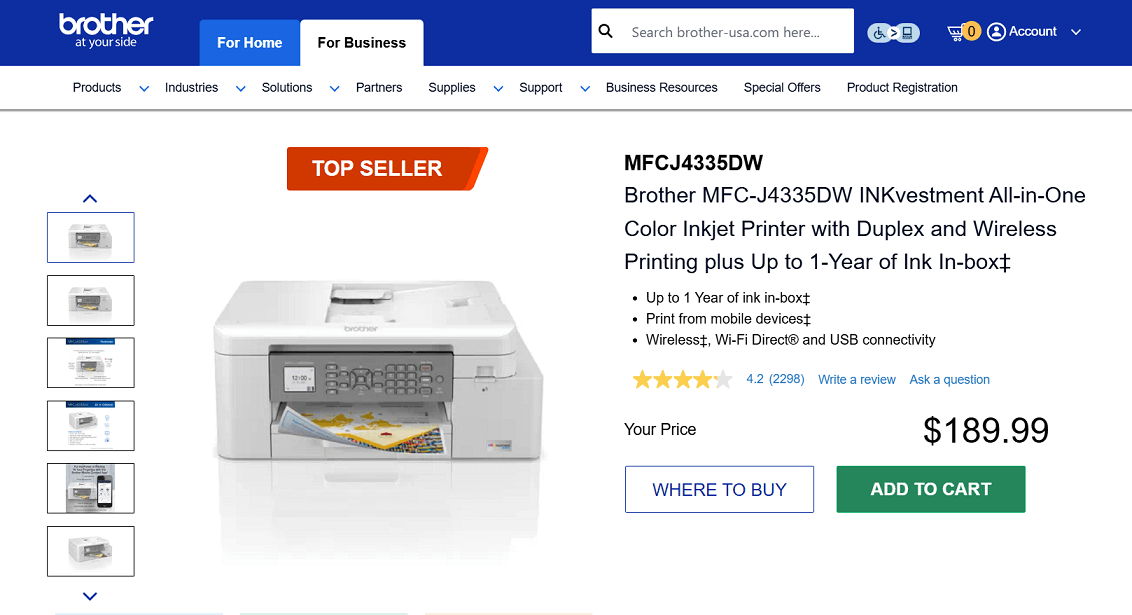
Screenshot from the Brother website
The Brother MFC-J4335DW is part of the INKvestment Tank series, designed for small businesses that want a compact all-in-one with printing, scanning, copying, and faxing.
It supports duplex printing, wireless connectivity, and mobile access through the Brother Mobile Connect app. It also includes up to a year of ink in the box, which helps lower running costs.
Key Features
- Print, copy, scan, fax
- Print speed: up to 20 ppm (black), 19 ppm (color)
- Automatic duplex printing
- 150-sheet paper tray + 20-sheet ADF
- Wireless, Wi-Fi Direct®, USB connectivity
- 1.8" color display
- Up to 1 year of ink included
Pros:
✔️ All-in-one functions in a compact size
✔️ Includes up to a year of ink in the box
✔️ Duplex printing saves paper
✔️ Easy mobile and cloud printing
✔️ Lower ink costs compared to many inkjets
Cons:
❌ Some users report Wi-Fi drops
❌ Small display is less convenient
❌ ADF does not support duplex scanning
❌ Color photo quality is average
❌ Can be noisy at higher speeds
Ink Cartridges for Brother MFC-J4335DW
- Standard yield: LC406BKS Black, LC406CS Cyan, LC406MS Magenta, LC406YS Yellow
- High-yield: LC406XLBK Black, LC406XLC Cyan, LC406XLM Magenta, LC406XLY Yellow
- Set: LC4063PKS (Cyan, Magenta, Yellow)
4. HP Color LaserJet Pro MFP 3301sdw (All-in-One)
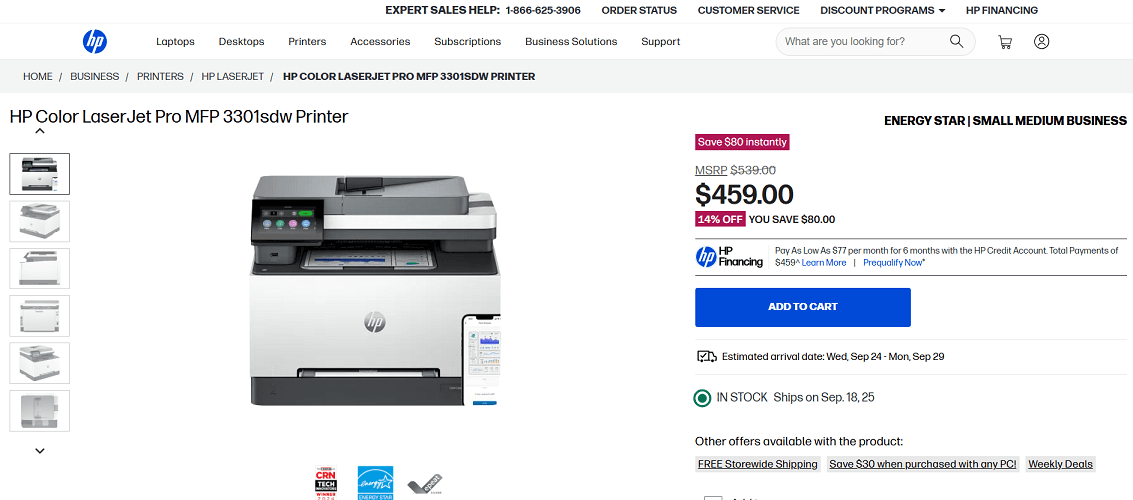
Screenshot from the HP website
For small business owners who prefer HP printers, the Color LaserJet Pro MFP 3301sdw is a reliable choice. It’s built to handle everyday office tasks like printing, copying, and scanning while also supporting two-sided printing to save time and paper.
With a compact design and consistent performance, it works well for offices that handle a mix of color and black-and-white documents.
Key Features
- Print, copy, and scan functions
- Print speed: Up to 26 ppm (black and color)
- Automatic duplex (2-sided) printing
- 250-sheet paper tray
- Wireless, Ethernet, USB, and mobile printing support
- HP Wolf Pro Security built in
Pros:
✔️ Sharp and consistent color output
✔️ Security features for sensitive documents
✔️ Compact size for small offices
Cons:
❌ Toner costs are high, especially for color printing
❌ Some users still report setup difficulties with network connections
❌ No fax function
❌ Paper tray capacity (250 sheets) can feel limiting for high-volume offices
Toner Cartridges for HP Color LaserJet Pro MFP 3301sdw
- Standard yield: HP 218A Black, HP 218A Cyan, HP 218A Magenta, HP 218A Yellow
- High yield: HP 218X Black, HP 218X Cyan, HP 218X Magenta, HP 218X Yellow
- Sets: HP 218A Set and HP 218X Set
5. HP OfficeJet 250 (Portable Inkjet All-in-One)
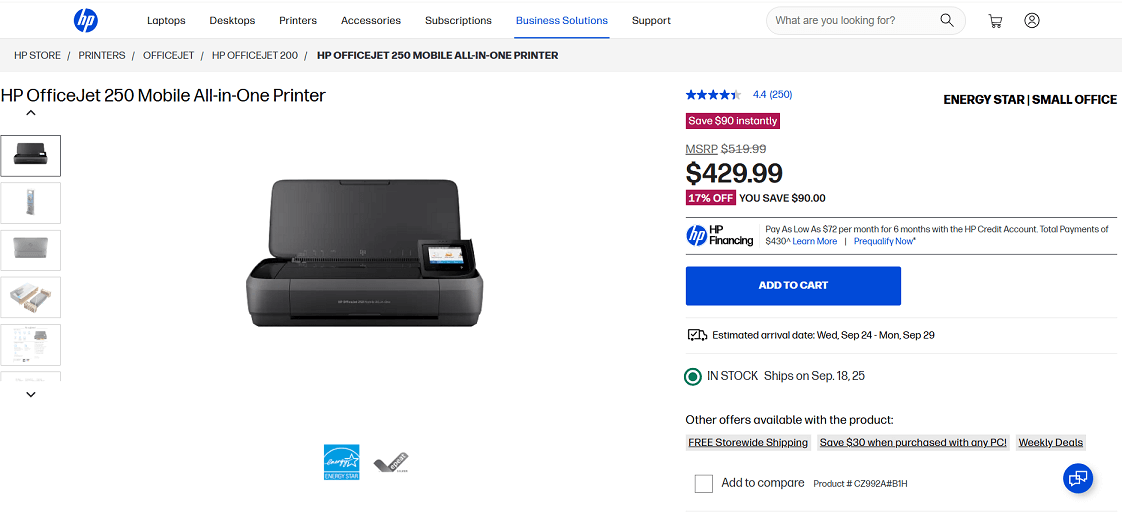
Screenshot from the HP website
The HP OfficeJet 250 is a compact all-in-one that’s easy to carry and set up anywhere. For small businesses that often work remotely or travel, a portable printer can be a useful choice.
With a rechargeable battery, wireless connectivity, and solid print quality, it’s built for flexibility when printing, copying, or scanning outside a traditional office.
Key Features
- Print, copy, and scan functions
- Print speed: Up to 10 ppm (black), 7 ppm (color)
- Long battery life with rechargeable option
- Wireless, Wi-Fi Direct®, and USB connectivity
- ENERGY STAR® and EPEAT® Silver certified
- 10-sheet ADF, scan size up to 8.5 x 14 in
Pros:
✔️ Lightweight and easy to carry
✔️ Built-in battery supports printing without direct power
✔️ Good print quality for both text and color documents
✔️ Works with laptops, tablets, and smartphones
✔️ Solid option for travel or remote work
Cons:
❌ Small paper tray limits large jobs
❌ Ink costs are high for frequent printing
❌ No automatic duplex printing
❌ Small ADF capacity compared to office printers
Ink Cartridges for HP OfficeJet 250
- Standard yield: HP 62 Black, HP 62 Tri-Color
- High yield: HP 62XL Black, HP 62XL Tri-Color
6. Canon MAXIFY GX3020 (Ink Tank All-in-One)
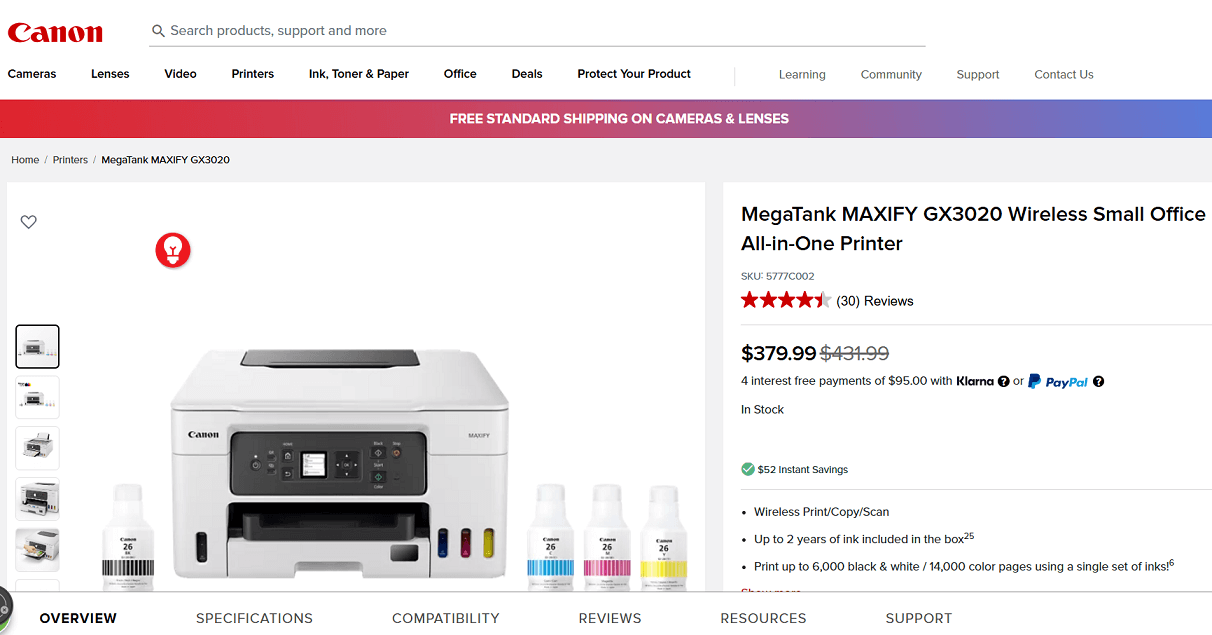
Screenshot from the Canon website
The Canon MAXIFY GX3020 is an ink tank all-in-one designed for small businesses that want low running costs and high page yields. With refillable ink bottles instead of cartridges, it delivers thousands of pages before needing a refill, making it cost-effective for offices that print frequently.
It also supports wireless connectivity, a 10-sheet ADF, and smart assistant integration, making it versatile for everyday business tasks.
Key Features
- Print, copy, and scan functions
- Print yield: up to 6,000 pages (black) / 14,000 pages (color) per refill
- 4-color pigment-based continuous ink supply system (CISS)
- 150-sheet paper tray + 10-sheet ADF
- Duplex printing supported
- Connectivity: USB, dual-band Wi-Fi, mobile printing
- Smart assistant support: Alexa, Google Assistant
- ENERGY STAR® certified
Pros
✔️ Extremely low cost per page with refillable ink bottles
✔️ High page yield suitable for frequent business printing
✔️ Good text sharpness and clear graphics
✔️ Compact footprint for a tank-based printer
Cons
❌ Slower than laser printers for large jobs
❌ 1.35" monochrome display feels basic
❌ ADF capacity is small at 10 sheets
❌ Color photo quality is functional but not photo-lab standard
Ink Bottles for Canon MAXIFY GX3020
- Black: Canon GI-26 BK (167 ml)
- Cyan, Magenta, Yellow: Canon GI-26 C/M/Y (132 ml each)
Summary
Choosing the right printer can make a big difference in how smoothly a small business runs. The models highlighted here offer options that fit different needs, from portability to high-volume printing.
They also span different budgets and feature sets, giving small businesses flexibility in finding the right fit. The best choice depends on your office workload, print volume, and budget.