Calculating arrival date




Eco-Friendly Printers: A Guide to Low-Energy and Green-Certified Models
09/30/2025

Printing doesn’t have to come at a high cost to the environment. Many modern printers now use less energy, offer refillable ink bottles or recyclable cartridges, and carry trusted eco-labels such as ENERGY STAR or EPEAT.
This guide explains what makes a printer eco-friendly and highlights models that combine low power use with greener refillable systems. It will help you pick a printer that works for your needs while reducing environmental impact.
What Makes a Printer Eco-Friendly
Not all printers marketed as “green” have the same benefits. The most reliable eco-friendly models usually stand out in three ways:
- Low Energy Use: These printers draw less power while printing and often include automatic sleep or shut-off modes. ENERGY STAR-certified devices typically meet strict energy-efficiency standards.
- Recyclable or Refillable Cartridges: Refillable ink tanks and cartridge-return programs help cut plastic waste and reduce the cost of printing over time.
- Eco-Certifications: Labels like ENERGY STAR, EPEAT, or Blue Angel show that a printer has been independently tested for lower environmental impact.
Focusing on these three areas makes it easier to choose printers that save energy, reduce waste, and meet credible green standards.
Printers With Eco-Friendly Features
Eco-friendly printers come in many types, from compact home models to high-volume office machines. Some use refillable ink tanks, while others support cartridge-return or recycling programs. Among users, Epson EcoTank models are often favored for their refillable bottles and reliable energy-saving features.
To give readers more options, here’s a mix of models from different brands that can help you find one that suits your needs while meeting green standards.
1. Epson EcoTank ET-8550
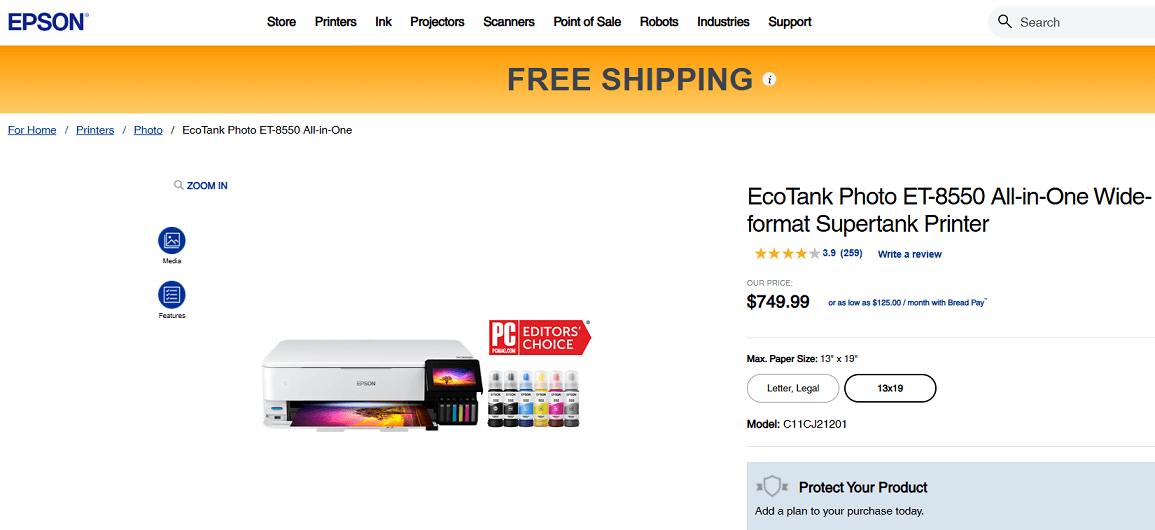
Screenshot from the Epson website
A wide-format all-in-one printer designed for documents and high-quality photos. It uses large refillable ink bottles that cut down on single-use plastic and reduce long-term costs.
The ET-8550 is ENERGY STAR certified, which means it uses less power in active and standby modes, making it a good choice for homes or small offices that print frequently.
Key Eco-Features:
- ENERGY STAR certified for energy efficiency
- High-yield bottles reduce packaging and replacement waste
2. Epson EcoTank ET-4800
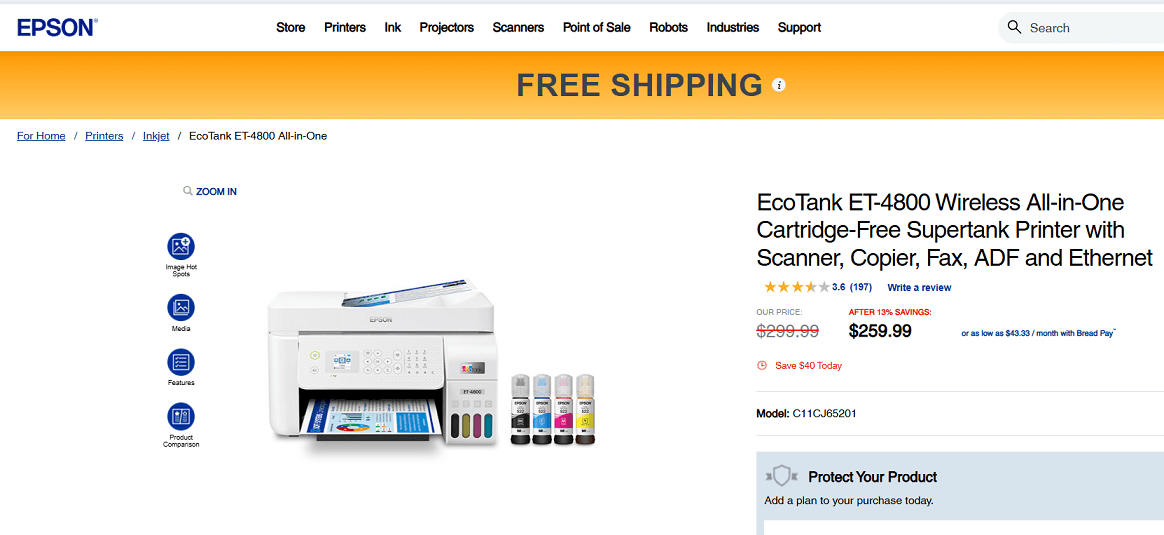
Screenshot from the Epson website
A compact EcoTank all-in-one printer designed for home or small-office tasks. It uses high-capacity refillable ink tanks that replace about 80 individual cartridges, cutting plastic waste and lowering running costs.
It’s ENERGY STAR certified for energy efficiency and includes features like a built-in scanner, copier, fax, and auto document feeder (ADF) for everyday convenience.
Key Eco-Features:
- ENERGY STAR certified for lower energy use
- High-capacity refillable ink tanks that reduce plastic waste
- Includes up to 2 years of ink in the box and ultra-high-yield refills
3. HP Smart Tank 5101
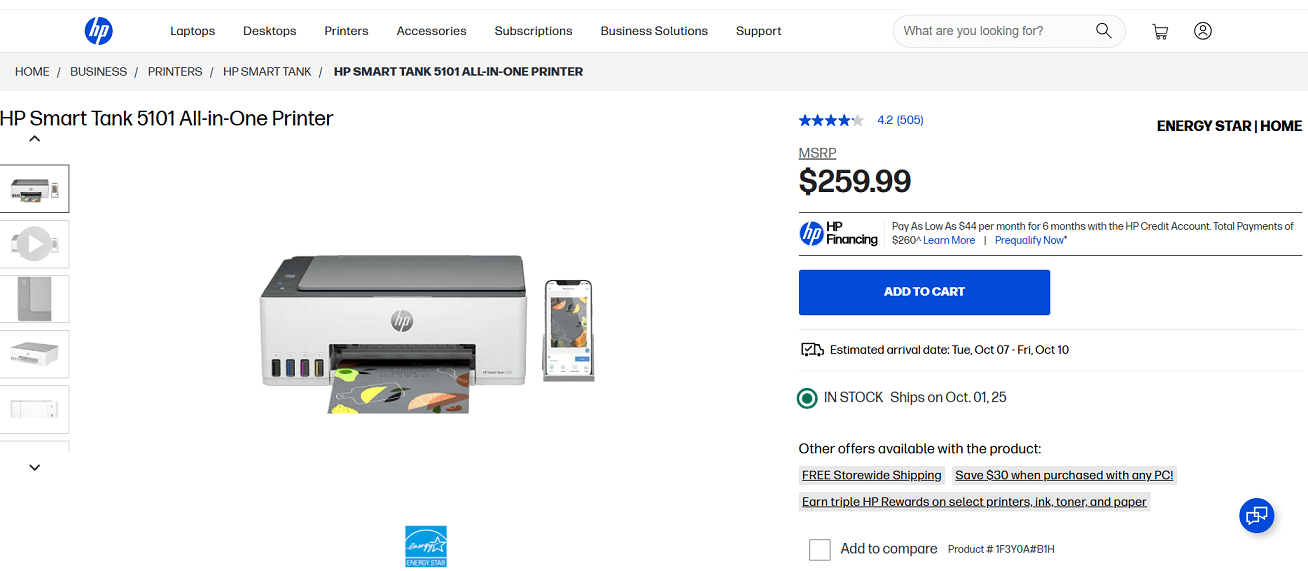
Screenshot from the HP website
The HP Smart Tank 5101 is a refillable all-in-one printer built for families or home offices that print often. It includes up to two years of ink with high-yield, mess-free bottles that cut cartridge waste and reduce costs.
The printer is ENERGY STAR certified and marketed as “engineered for sustainability,” offering reliable everyday printing with less environmental impact.
Key Eco-Features:
- ENERGY STAR certified for energy savings
- High-yield refillable ink bottles reduce waste
- Auto-On/Off technology helps save power
4. HP Smart Tank 7001
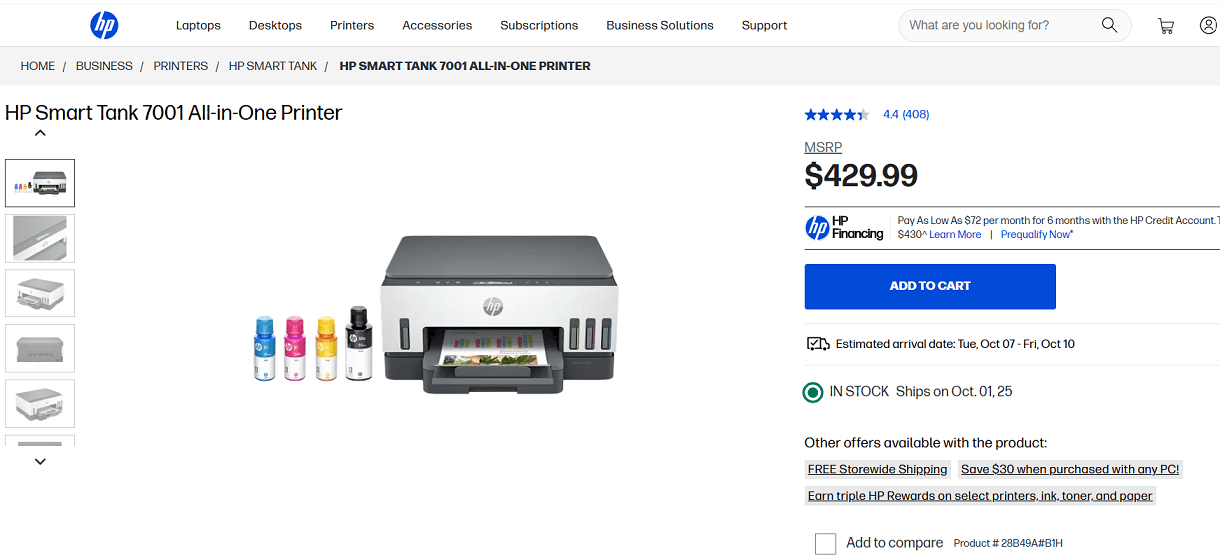
Screenshot from the HP website
A refillable Smart Tank printer designed for homes or small offices. It includes automatic duplex printing to save paper and comes with high-capacity ink bottles that can print thousands of pages before refills.
The printer is ENERGY STAR certified and marketed as “engineered for sustainability,” making it a practical eco-conscious option for higher-volume printing.
Key Eco-Features:
- ENERGY STAR certified for reduced power consumption
- High-capacity refillable bottles minimize cartridge waste
- Automatic duplex printing saves paper
5. Canon PIXMA G6020 (MegaTank)
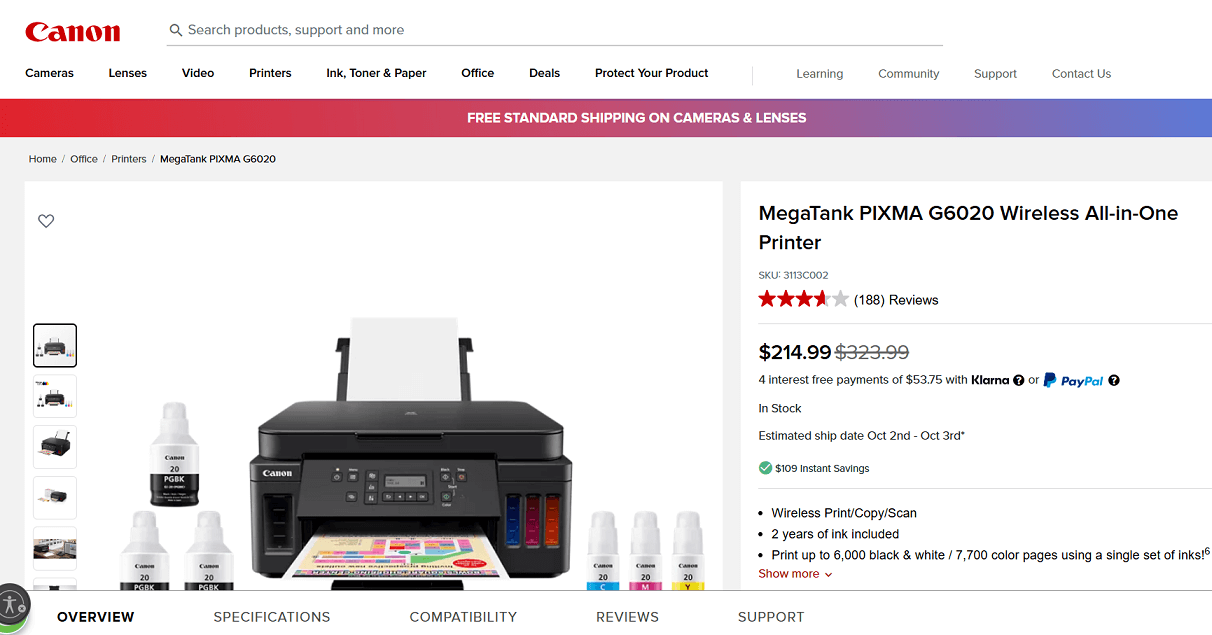
Screenshot from the Canon website
A Canon MegaTank model with refillable ink bottles that significantly reduce single-use plastic waste.
It’s ENERGY STAR certified and built for high-volume home or small-office printing, offering a low cost per page and reliable quality while supporting more sustainable printing practices.
Key Eco-Features:
- ENERGY STAR certified for energy efficiency
- Refillable MegaTank ink bottles cut cartridge waste
Tips for Eco-Conscious Printing Practices
Buying an eco-friendly printer is only part of the solution. The way you use it every day can make an even bigger impact on energy and paper savings.
✅ Choose Duplex Printing: Printing on both sides of the page can cut paper consumption by up to half, which saves trees and reduces waste. Most modern printers have an automatic duplex setting that you can enable in the print menu.
✅ Use Draft or Eco-Mode: Draft or eco-mode reduces the amount of ink or toner used for each page. It’s ideal for internal notes, drafts, or everyday text documents where you don’t need deep color or sharp resolution.
✅ Recycle Cartridges and Bottles: Instead of throwing empty cartridges or bottles in the trash, send them back through the manufacturer’s return program or drop them at participating office-supply stores. This keeps plastic and residual ink out of landfills and helps manufacturers reuse materials.
✅ Turn Off or Enable Auto-Sleep: Leaving a printer powered on around the clock wastes electricity. Turn it off when it’s not needed, or activate the printer’s auto-sleep mode so it uses only minimal power during idle times.
✅ Print Only What’s Necessary: Review your documents before printing to avoid unnecessary pages, and consider digital copies whenever possible.
❓ Frequently Asked Questions
Do eco-friendly printers cost more to run?
Not usually. While the upfront price can be higher, refillable tanks and energy-saving features often lower the overall cost per page. Over time, many users save on ink and electricity.
Which certification should I look for first?
Start with ENERGY STAR for energy efficiency. For broader environmental standards, such as low emissions or safer materials, also check for EPEAT or Blue Angel labels.
Do I need to use the printer regularly to keep it in good condition?
Ink-tank printers perform best if you print at least a few pages every week. Regular use prevents ink from drying in the nozzles and reduces the need for cleaning cycles that waste ink.
How else can I make printing more sustainable?
Use duplex printing to save paper, choose draft mode for routine documents, recycle cartridges or bottles, and power down the printer or use auto-sleep to cut energy use when it’s idle.