Calculating arrival date






 Black
Black Black
BlackPrinter Fit Guarantee

Yes, we guarantee it will work!
The TonerBuzz Printer Fit Guarantee ensures that the toner you buy will work with your printer. All you have to do is select your printer from the dropdown above, and we'll let you know if this is the right toner for you.
Not sure how to find your printer model number?
Give us a call at 1-800-203-8411 and
we'll help
you find the right toner.
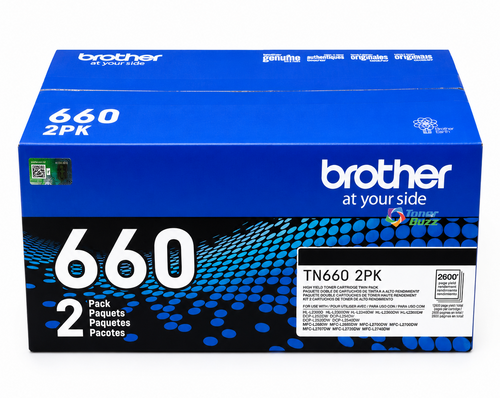
TN660-2PK | Original Brother Dual Pack Black Toner | 2-Pack Guaranteed to Work With These Printers:
Specifications
-
Brand:Brother
-
SKU:TN6602PK
-
UPC:012502656654
-
Product Type:Toner Cartridge
-
Color:Black
-
Page Yield:2,600 pages (per cartridge)
-
Pack Type:2-Pack
-
Alternate SKU:BRTTN6602PK
-
Page Yield Type:High-Yield
Description
The Brother TN660-2 pack includes original high-yield black toner cartridges designed for busy offices that print frequently. High-yield black means each cartridge lasts longer than standard options, reducing the need for frequent replacements and keeping your workflow uninterrupted.
These cartridges produce consistent, sharp text and smooth black coverage on all documents. TonerBuzz notes that using original Brother toner ensures reliable performance and helps prevent printer issues linked to non-original cartridges.
All cartridges come factory-sealed and ready to install, so you get full yield right out of the box. TonerBuzz can help confirm compatibility with your Brother printer and guide you on ordering the right quantity for your needs.
Does this toner print color?
No. This is a black toner cartridge.
How many pages can each cartridge print?
Each toner cartridge yields up to approximately 2,600 pages at 5% coverage. That higher page yield helps you print more between replacements and lowers overall cost per page.
Are these cartridges genuine Brother products?
Yes, these are original Brother toner cartridges manufactured by Brother (not third-party or remanufactured units). They’re designed to work seamlessly in compatible Brother printers.
How do I install these toner cartridges?
Open your printer’s toner access panel and remove the used cartridge by its handle. Then insert the new toner cartridge into the slot until it clicks, close the panel, and print a test page to confirm proper installation.